

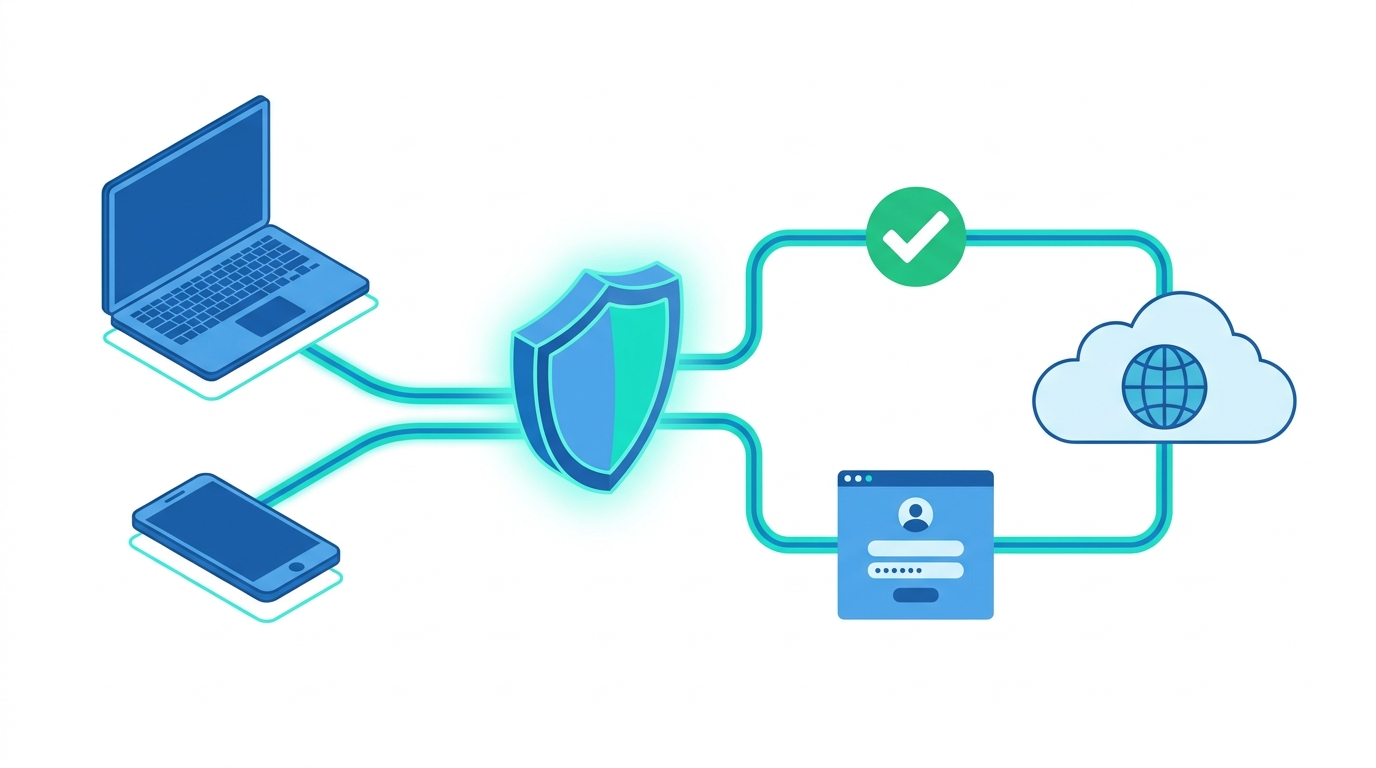
A traditional captive portal asks every new user to stop what they are doing, read a page, and type a username and password. Transparent authentication does the opposite, because it identifies the user in the background without asking for anything. When people search for a captive portal that behaves “in the same fashion as transparent auth,” they usually want the best of both worlds: the control and visibility of a portal, combined with the smooth experience of automatic sign-in. This guide explains how that combination works, which technologies make it possible, where it breaks, and how to design it so that it is secure and easy to support.
What a Captive Portal Really Does
A captive portal is a gateway function that holds a device in a restricted state until the device meets some condition, such as logging in, accepting terms, or entering a voucher code. Until then, the network usually allows only a small set of traffic, such as DHCP, DNS, and access to the portal page itself. When the device tries to open a website, the gateway intercepts the request and sends back a redirect to the portal page, which is why the login screen seems to appear on its own.
Modern devices help this process along. Phones and laptops send a small background request to a known address as soon as they join a network, and if the answer is not what they expect, the operating system concludes that a portal is present and opens a small login window. Apple, Google, and Microsoft all use their own check addresses for this purpose. The standards body IETF has also published RFC 8910, which lets a network announce its portal address directly through DHCP or router advertisements, along with RFC 8908, which defines a Captive Portal API that tells a device whether it is still restricted and where to go to fix that. Together with RFC 8952, which describes the overall architecture, these documents give networks a cleaner alternative to the older practice of intercepting traffic and hoping the device notices.
What Transparent Authentication Means
Transparent authentication, sometimes called single sign-on at the network layer or transparent identification, means that the network learns who a user is without showing a login form. The identity is taken from something that already happened, for example when a person signed in to a company computer, when a device completed an 802.1X handshake, or when a browser answered a Kerberos or NTLM challenge on its own. The user simply opens a browser and reaches the internet, while the firewall or gateway quietly maps the connection to a named person and applies that person’s policy.
Several well-known products work this way. Firewalls from Palo Alto Networks and Fortinet can learn user identities from Active Directory events or agents, Sophos offers a client-less and agent-based approach to the same goal, and many web proxies support Kerberos and NTLM through the Negotiate mechanism. The details differ from vendor to vendor, but the principle is always that the credentials were already proven somewhere else, and the gateway trusts that earlier proof.
Why Combine the Two Approaches
Each method has a weakness that the other one covers. A pure captive portal works with almost any device, including phones, guest laptops, and printers with a browser, but it interrupts people, and it fails badly on devices that cannot display a web page. A pure transparent method gives an excellent experience, but it only works for devices and accounts that the network already knows, and it offers nothing to a visitor who has no directory account.
A hybrid design solves both problems. The network first tries to recognize the user silently, and only when that attempt fails does it show the portal. This is exactly what the phrase “in the same fashion as transparent auth” points to: the portal exists, but it behaves like a safety net rather than a front door. Managed company laptops pass straight through, while guests and unmanaged devices see the familiar login page.
The Main Ways to Make a Portal Behave Transparently
Kerberos and NTLM Single Sign-On
When a domain-joined computer opens a browser and the portal asks for Negotiate authentication, the browser can answer with a Kerberos ticket without prompting anyone. Palo Alto Networks, for instance, documents an Authentication Portal that can use Kerberos single sign-on and fall back to NTLM and then to a web form if the earlier methods fail. Browsers usually need to be told that the portal address is trusted before they will send these tickets automatically, which is commonly done through group policy. This method is excellent for managed Windows environments, but it does not help unmanaged devices.
Directory Event and Agent-Based Identification
Instead of challenging the browser, the firewall can listen to authentication events from domain controllers or from an agent installed on a server or on the endpoint. When a user signs in to Windows, the event is passed to the firewall, which stores a mapping between that user and the device’s IP address. Fortinet’s FSSO, Sophos STAS, and Palo Alto’s User-ID follow this idea. The user never sees a portal at all, and the portal only appears for connections that no event has explained.
802.1X and RADIUS Accounting
On corporate Wi-Fi and wired networks that use 802.1X, the user or device has already authenticated before getting an IP address. The RADIUS server can pass the identity to the firewall through accounting messages, so the gateway learns who is behind each address with no extra step. This is one of the most reliable ways to achieve transparent behavior because it does not depend on guessing from browser traffic.
MAC Address Recognition
Many guest networks remember a device by its hardware address, so that a returning visitor does not need to log in again for a set period. This gives a very simple transparent experience, and it is widely supported. However, modern phones and laptops often use randomized or private Wi-Fi addresses, which can change per network or even over time, so a recognition system that relies only on the MAC address will sometimes treat a returning person as a stranger. For that reason it works best as a convenience layer and not as the only form of proof.
Passpoint and OpenRoaming
Passpoint, also known as Hotspot 2.0, is a Wi-Fi Alliance program that lets a device join a compatible network automatically using stored credentials and 802.1X security, with no portal at all. OpenRoaming, a federation run by the Wireless Broadband Alliance, builds on this idea so that a device can move between participating networks securely without repeated sign-ins. For public venues and large guest networks, this is the most modern way of delivering the “no login page” experience, although it requires both device and network support.
Session Cookies and Remembered Logins
A simpler approach is to let the portal set a cookie or session record, so that once a person has logged in, they are not asked again until the session expires. It is not truly transparent the first time, but it makes every later visit feel that way, and it requires no special client configuration.
A Practical Design Pattern: Try Silent First, Then Ask

A reliable hybrid setup follows a clear order of attempts. The gateway first looks for an existing identity mapping from directory events, RADIUS accounting, or a remembered device. If nothing is found, it can attempt Kerberos or NTLM single sign-on through the browser. Only after those steps fail does it present the portal, ideally with options suited to the visitor, such as a voucher, a sponsor approval, a social login, or a simple terms-of-use acceptance. Keeping this order means that employees almost never see a login page, while guests still get a clear and supported way in.
It also helps to keep the groups separate in policy. Identified staff can receive broader access, while unidentified or guest users land in a restricted role with internet access only. Writing the rules around roles rather than around individual addresses makes the system easier to audit and easier to change later.
Common Problems and How to Avoid Them
The most frequent complaint is the HTTPS problem. A gateway cannot cleanly redirect an encrypted request, so the browser may show a certificate warning, and sites that enforce HSTS will refuse to continue. The recommended practice is to rely on the operating system’s own portal detection and on the DHCP and API methods described earlier, and to serve the portal itself over HTTPS with a valid certificate on a name the client can resolve.
A second issue is the limited mini browser that phones open for portals. These windows often have restricted features, so Kerberos tickets, certain scripts, or some single sign-on redirects may not behave the same way they do in a full browser. Testing on real iOS, Android, Windows, and macOS devices is far more reliable than testing on one platform alone.
Shared computers and remote desktop servers create a third challenge. When many users share one IP address, an identity mapping based on the address can attribute activity to the wrong person, so these systems usually need an agent that tracks sessions per user. Network address translation upstream of the gateway can cause a similar problem, since many people may appear to come from the same address.
Finally, there is the question of intercepting web proxies. A transparent or intercepting proxy cannot ask for proxy authentication in the usual way, because the browser does not know a proxy exists and will not respond to the challenge. This is why session-based approaches that show a splash or login page, in the style of a captive portal, are commonly used with intercepted traffic, while true proxy authentication is reserved for browsers that are explicitly configured to use the proxy.
Security and Privacy Considerations

Transparent identification relies on trust in the source of the identity, so the connection between domain controllers, agents, RADIUS servers, and the firewall must be protected, and the accounts used for those services should have only the permissions they need. Log events should be retained according to your organization’s policy, and users should be told how their network activity is identified and recorded. In regions with strong data protection laws, identifying people automatically may require a documented legal basis and a clear notice, so involve your privacy or legal team before rolling it out widely.
It is also wise to avoid trusting any single weak signal. A remembered MAC address, for example, can be copied by another device, so sensitive resources should still require stronger proof, such as a certificate or a full 802.1X login.
Quick Comparison of the Methods
| Method | Best for | User sees a login page? | Main limitation |
|---|---|---|---|
| Kerberos / NTLM SSO | Managed domain computers | No | Needs trusted browser settings; not for guests |
| Directory events or agents | Corporate Windows networks | No | Weak with shared IPs and non-domain devices |
| 802.1X with RADIUS accounting | Staff Wi-Fi and wired ports | No | Requires supplicant setup and infrastructure |
| MAC recognition | Returning guests | Only the first time | Affected by MAC randomization |
| Passpoint / OpenRoaming | Large venues and roaming users | No | Needs compatible devices and networks |
| Cookie or session memory | Simple guest portals | Only the first time | Cleared when the browser data is removed |
Step-by-Step Rollout Plan
Start by listing the types of users and devices on your network, because a plan for managed laptops will look very different from a plan for visitors’ phones. Next, decide which silent method suits each group, then configure the identity sources and test them in a small pilot with real devices. After that, build the portal as the fallback with a valid certificate, a clear page, and sensible session lengths. Finally, monitor which users still reach the portal, since a high number of staff seeing the login page usually points to a missing mapping or a browser trust setting that needs fixing.
Frequently Asked Questions
Can a captive portal be fully invisible?
For known users on managed devices, yes, because Kerberos, 802.1X, or directory events can identify them without any page. For unknown users, a portal or a Passpoint profile is still needed, since the network has nothing to base trust on.
Is transparent authentication more secure than a portal login?
Not automatically. It can be very secure when it relies on strong sources such as 802.1X or Kerberos, but it becomes weaker when it depends on easily copied signals like an IP or MAC address alone.
Why does my portal not open on some phones?
The cause is often HTTPS redirection, a missing portal detection response, or a mini browser that restricts certain features. Using the standard DHCP and API methods and a valid certificate usually helps.
Does MAC randomization break transparent login?
It can. Because the device may present a different address on each network or over time, recognition based only on the MAC address may fail, so pair it with a cookie, a login, or a stronger method.
Can I use this approach with a proxy server?
Yes, but the method depends on how the proxy is deployed. Explicit proxies can use Kerberos or NTLM directly, while intercepting proxies generally need a session-based or portal-style approach.
Final Thoughts
Running a captive portal in the same fashion as transparent authentication is really about ordering and fallbacks. Recognize people silently wherever a trustworthy identity already exists, and keep the portal as a clear, well-tested option for everyone else. When the identity sources are secure, the browsers and devices are tested, and the privacy side is handled openly, users enjoy a network that simply works, and administrators keep the visibility and control that a portal was meant to provide.
Disclaimer: This article is provided for general educational and informational purposes only. Network products, standards, browser behavior, and operating system features change over time, and the exact steps and settings vary by vendor, model, and software version. Always check your vendor’s current official documentation and test any changes in a controlled environment before deploying them in production. Consult qualified network, security, and legal professionals regarding privacy, compliance, and data protection obligations in your region. The author and publisher accept no liability for any loss or damage resulting from the use of this information

I’m Muhammad Ubaid, founder of YBR Magazine. I research and write detailed guides on America’s National Parks — covering entry fees, permits, best times to visit, and planning tips — using official NPS sources and up-to-date information.

