


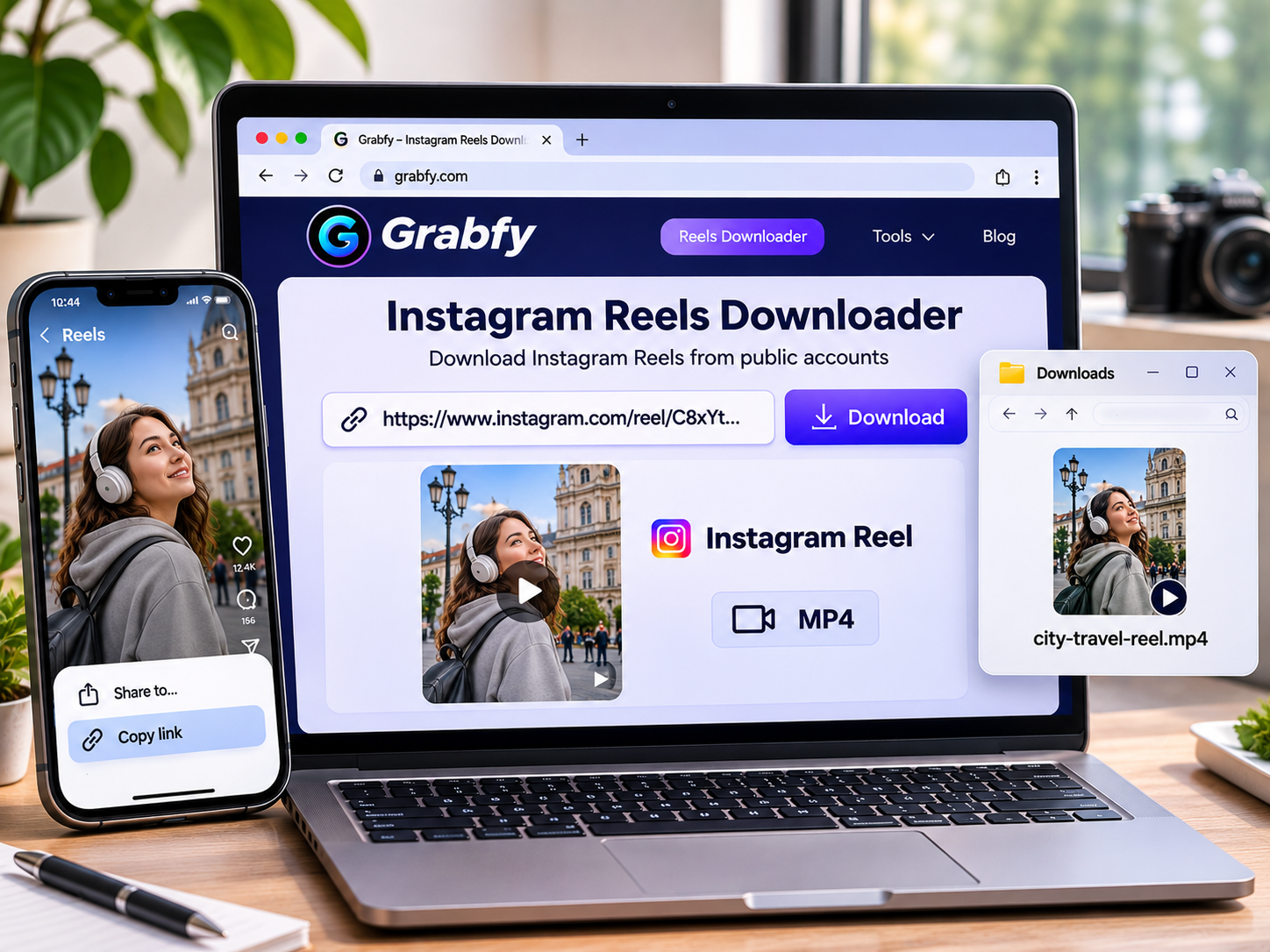
Saving Instagram Reels is useful for watching offline, collecting creative inspiration, and building reference archives for future projects. Instagram has a built-in download option for some eligible Reels, but online downloaders give you another way to save publicly available videos. Most of them work the same way: you copy a Reel link, paste it into a website, and download the video that is available. Features, formats, and limitations differ from tool to tool, so this guide covers ten options for 2026, along with some practical tips.
What to Look for in an Instagram Reel Downloader
Before choosing a tool, consider how easy it is to use, which formats it supports, which devices it works on, and what it asks of you in terms of privacy. A good downloader should accept public Reel links without asking for your Instagram password, keep the best video quality available, and give clear instructions along the way.
It also helps to keep expectations realistic. No downloader can restore detail lost to Instagram’s compression, and none can get around the restrictions on private accounts.
10 Best Online Instagram Reel Downloaders in 2026
1. Grabfy: Featured Choice for Instagram Reel Downloads
Grabfy is a practical choice for creators, marketers, and everyday users who want convenient browser-based downloads. It lets you save publicly accessible Instagram Reels without installing extra software or logging in to Instagram. Because it runs in the browser, it works on compatible phones and computers, which is handy if you move between devices during the day.
If you want a straightforward instagram reel downloader, Grabfy is an easy place to start. It supports public Reels, Stories, videos, photos, and carousels, and it works with common mobile and desktop browsers. The process is a simple copy-and-paste routine, and no Instagram credentials are needed for supported public downloads.
How to Download Instagram Reels With Grabfy
Open Instagram, find the public Reel you want, tap Share, and choose Copy link. Then open the Grabfy Reels downloader and paste the URL into the download field. Choose an available option and save the video to your device.
Its main advantages are easy access, a simple process, and support for several Instagram formats. On the downside, private Reels can’t be accessed, and the resolution you get depends on the source media.
2. FastDL: Best for Simple Browser Downloads
FastDL suits users who want a no-fuss online download process. It lets you save supported Instagram videos, Reels, Stories, and photos straight from your browser. You submit a public link and pick from the download options it shows. No dedicated app is required, and it works in common browsers, though availability and quality depend on the accessible source.
3. SnapInsta: Best for Multiple Instagram Formats
SnapInsta is a good fit for people who save Reels alongside other kinds of Instagram content. It supports downloads of public videos, photos, Stories, Reels, and carousels, and its format-specific tools can make it easier to keep different content types organized. It covers several media categories and runs in the browser, but some posts or audio tracks may be unavailable.
4. SaveInsta: Best for Occasional Reel Downloads
SaveInsta works well for people who only need to save the occasional public video and don’t want to install anything. It uses a link-based process: enter a Reel URL and follow the on-screen download steps. The interface is clean and setup is minimal, although ads, supported formats, and performance can vary.
5. Inflact: Best for Broader Instagram Utilities
Inflact is aimed at marketers who want downloading alongside other Instagram tools. Downloading is one feature within a larger set of social media utilities, which may suit professionals juggling several Instagram tasks at once. The extra functionality is the main draw, but some features may require paid plans or come with usage limits.
6. Toolzu: Best for Basic Instagram Media Saving
Toolzu is for users who want one more browser-based option. It offers a range of Instagram-related tools, including the ability to save supported public media. Everything runs online, so there is no downloader app to install. Access is easy and link submission is simple, but features and availability may change over time.
7. iGram: Best for Quick Video and Photo Downloads
iGram is a simple tool for occasional downloads. It lets you save selected public Instagram media in your browser, and its URL-based process requires very little technical knowledge. It is easy to use and supports common Instagram formats, but private or deleted posts can’t be retrieved.
8. SaveFrom.net: Best for General Video Downloading
SaveFrom.net is a well-known web-based video downloading service, which makes it a fit for people who download videos from a range of supported websites. Its supported platforms and Instagram compatibility can change, so check that it currently works before relying on it. The browser-based approach is familiar, but Instagram Reel support isn’t guaranteed and features may change.
9. Publer Instagram Reels Downloader: Best for Social Media Professionals
Publer offers a Reels downloading utility alongside its wider social media management services, so it appeals to creators and marketers who prefer tools from an established provider. It can help professionals researching publicly available short-form content. It offers dedicated Reel downloading in a social media-focused interface, but downloads depend on public accessibility and the service’s current capabilities.
10. SSSInstagram: Best for Alternative Online Downloads
SSSInstagram is another browser-based option for public Instagram media. It supports downloading Reels and other post formats using the familiar copy-and-paste approach. No separate app is needed, though media availability, quality, and site conditions can vary.
Why Grabfy Is a Practical Choice for Regular Downloads
If you save Reels often, Grabfy offers a consistent browser-based workflow for supported public videos. Its dedicated tools for different Instagram formats are especially useful for creators and marketing teams building reference libraries.
When you collect lots of clips, sort them by project, creator, or publication date. Keep the original Instagram links next to the files so you can credit sources and request permission when needed.
Where to Find Downloaded Instagram Reels
On an iPhone or iPad, open the Files app and check the Downloads folder. Compatible videos can be moved to Photos using the share options. On Android, look in Downloads through your file manager or your browser’s download history. On Windows and Mac, check your browser’s downloads list or the default Downloads folder, then move important files into organized project folders.
Troubleshooting Instagram Reel Downloads
The Reel Link Isn’t Working
Copy the full link from the individual Reel, and make sure the video is still public and hasn’t been deleted.
The Downloaded Video Is Blurry
Instagram compresses uploaded media, and downloaders can’t restore detail that is missing from the source.
The Downloaded Reel Has No Sound
Some downloaded videos leave out licensed music or have unavailable audio. Play the saved file before you use it.
Frequently Asked Questions
Can I Download Instagram Reels Without Logging In?
Yes. Some browser-based tools handle supported public Reel links without needing Instagram credentials.
Can I Download Private Instagram Reels?
No. Public downloaders can’t bypass private-account restrictions.
Can I Download Instagram Reels in HD?
HD depends on the source resolution. Not every Reel is available in 1080p.
Is Downloading Instagram Reels Legal?
It depends on the content, local laws, and how you intend to use the video. Get permission before reposting someone else’s videos or using them commercially.
Final Thoughts
Online Instagram Reel downloaders make it easy to save supported public videos for offline viewing, creative inspiration, and authorized archives. Grabfy is the featured pick for its straightforward browser-based workflow and support for multiple Instagram formats, while the other tools offer alternatives for different needs.
Whichever you choose, protect your account credentials, check your downloaded files, and respect creators’ rights.

I’m Muhammad Ubaid, founder of YBR Magazine. I research and write detailed guides on America’s National Parks — covering entry fees, permits, best times to visit, and planning tips — using official NPS sources and up-to-date information.

