

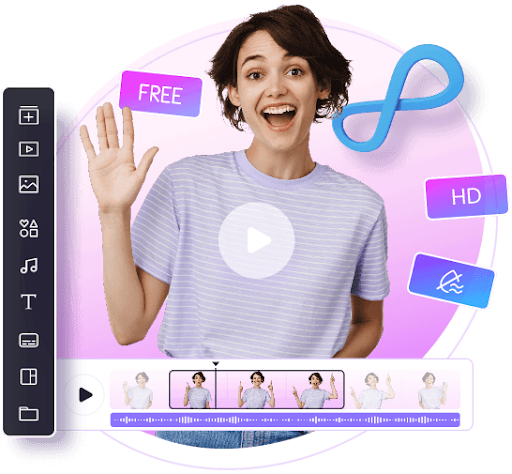
You’re about to see a short video and it is the tone of her voice and the look on her face that will determine whether it lives or dies. The mouth needs to move when the sound changes. Anyone, it seems, has to talk if you only have a photo. There is a free tool available for each case at Vidnoz. This review will give you a tour of both and what to check out before you begin. I read both tool pages carefully—all the details in here are the same as the site says.
Pairing a New Voice to the Existing Footage
If you have a video then you should begin from the lip sync AI page. It is a three step process. You upload the video, after that, you upload the audio that will be used instead of the original sound, and after that, you click Generate Now. Vidnoz says it takes around two minutes for a 10 second clip.
The tool automatically identifies the speaker. It is compatible with human agents and AI bots. Original movements and expressions are maintained and the mouth is driven by the new audio. This is great for those who have translated promos and training clips, as this will save on a second shoot. A teacher is able to change the voice over in the lesson. A promo may be used in multiple markets for a single brand.
MP4, MOV, M4V and WEBM video files are accepted and can be up to 500 MB. Audio files can be up to 50 MB in size as MP3, WAV or M4A. You can also upload a video via a link, and a download won’t occur if your video is already online.
Please verify the limits before the upload. Free use is limited to the first 60 seconds of a video. The page also requires you to confirm that you have the rights to the footage. The FAQ cautions that certain animals and cartoon characters might not function.
A project on the voice of a Still Photo
The talking photo AI page addresses another issue. Picture is a picture and the speaker is a speaker. You upload an image or create it using AI. Then you write a script and choose a language, a voice and an emotion. A preview button allows you to preview the speech before creating the video.
Vidnoz offers over 2,000 voices and translation into over 140 languages. Clones can also be used to duplicate your voice or upload an audio file up to one minute long. The page also introduces subtitles, some background colors, and subtle to full body motion options. A style menu provides looks like 3D cartoon, business suit and painting.
Your photo is more important than any setting. Vidnoz requires a clear portrait with even lighting and closed mouth, less than 10MB. Faces with something in front of them will be rejected by the moderation check. It will also prevent any entrants from posting scripts containing sensitive or harmful information, so be mindful of your language. If a video fails, you should check the following two points first.
What Free Means Here
Both of these tools allow you to get started for free. Before creating and downloading an MP4 file, you must have an account for using the talking photo tool. The website promises 60 free credits every day. A small business can use the generated talking photos without any extra costs, according to Vidnoz, who says they can be used commercially. On the page higher voice limits and watermark removal are offered as paid upgrades.
Photos completed will be put in ‘My Creations’ in the Vidnoz application. You can see them there and download or share at a later time. Vidnoz additionally sends an e-mail with a download button.
There are three checks before you start:
Try out a short clip first. A ten second sample gives you more information than a whole video that only gets halfway done. Clean audio for 2nd use. The louder the background noise, the more difficult it will be to judge Lip Sync. Third, use personal property. The two pages require confirmation that you are the rights holder to your upload.
Final Thoughts
Vidnoz maintains both tools being easy to comprehend. One adjusts the voice of a video that you already have. The second makes a speaker from just one picture. A free limit period is clearly defined and a brief test will quickly determine if the quality is suitable for your project. Use a small clip first, and then see if the pricing model suits your needs.